 Open full size
Choose components by user task
Buttons trigger a focused action. Combo boxes and lists collect a selection. Grid and table components present data for review or editing. Report and Cube View components surface formatted analysis. Embedded dashboards support modular navigation. Selecting the component by user task makes an interface clearer than trying to make one component do everything.
Wire components deliberately
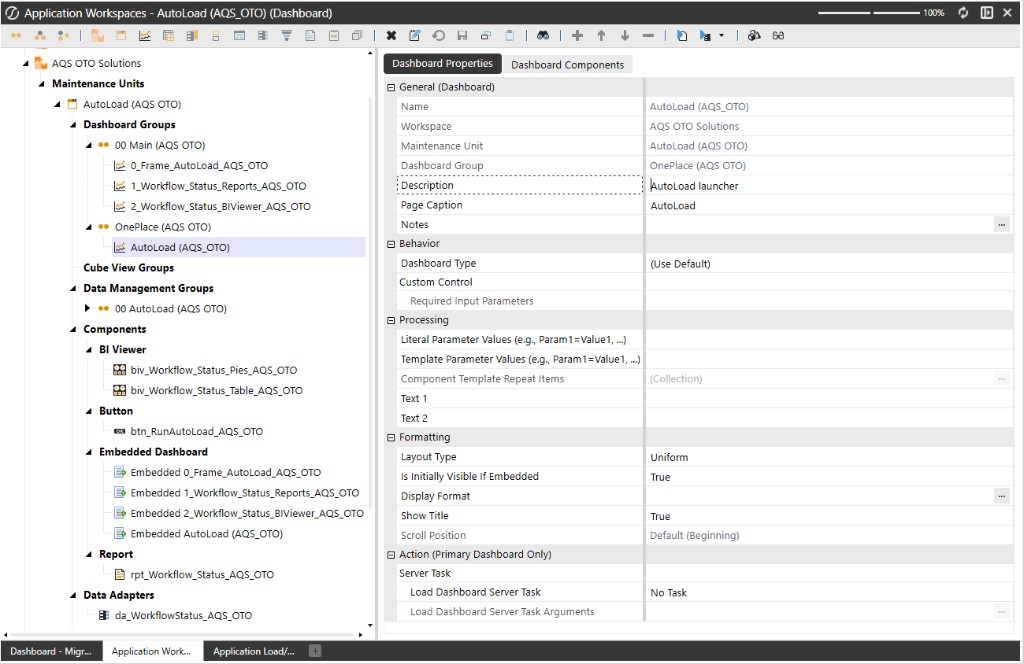
Component names, bound parameters, adapter members, action rules, and dashboard membership are related. A missing reference or a mismatched parameter can make a dashboard appear incomplete even when its XML imports successfully. Review the component wiring as a complete interaction, not as isolated files.
Create reusable dashboard patterns
Shared headers, navigation, standard filters, and common component configurations reduce drift between dashboards. A component pattern should be documented well enough that another developer can understand its data source, parameters, and expected behavior without reverse engineering it from a live application.
Looking for a specific workflow? Return to the OneStream resources hub to browse related practical guides.
Ready to build this in OneCraft?
Describe what you need in plain English — OneCraft drafts and validates the OneStream files for you.