 Open full size
Rule types should match the job
A rule type is not just a label: it determines where and how OneStream runs code. Finance rules focus on cube calculations. Connector rules retrieve or map external data. Dashboard Extenders control interactive dashboard behavior. Dashboard Data Set rules produce data for adapters and parameters. XFBR String rules provide dynamic text. Cube View Extenders apply advanced reporting format changes.
VB.NET or C#
Both VB.NET and C# can be used for relevant OneStream development. The better choice is normally the one that matches the team's existing codebase, training, review ability, and convention. Consistency across a project is usually more valuable than switching languages for a single rule.
Developing rules with OneCraft
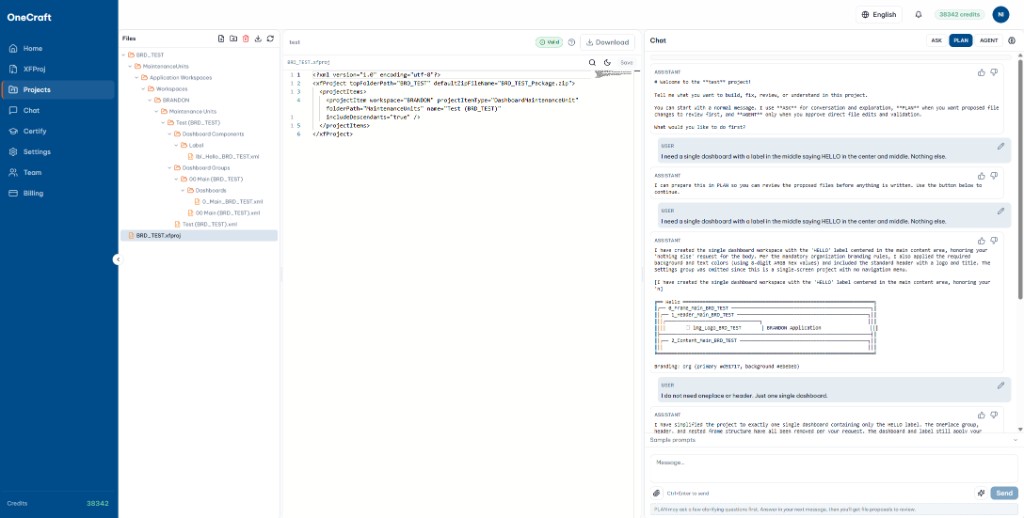
OneCraft can draft supporting rules from a specific requirement, put them in the correct project context, and run the relevant compilation validation before export. The final rule still needs functional review: technical compilation cannot prove that an accounting or workflow decision is correct.
Sources and further reading
Looking for a specific workflow? Return to the OneStream resources hub to browse related practical guides.
Ready to build this in OneCraft?
Describe what you need in plain English — OneCraft drafts and validates the OneStream files for you.