 Open full size
 Open full size
What an XFProj package delivers
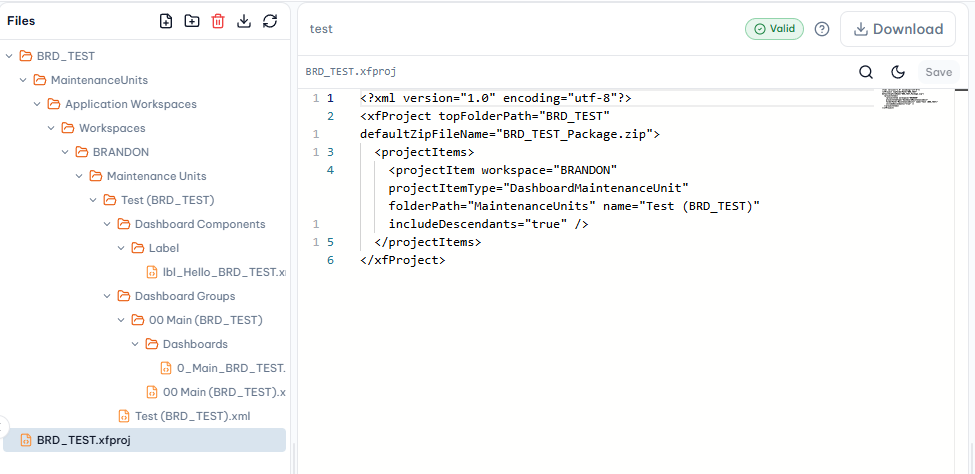
The XFProj manifest identifies the OneStream artifacts included in an extract or load package. It can organize workspaces, dashboard maintenance units, Cube Views, data-management artifacts, and business rules into a file tree that is easier to review and version.
A safe handoff checklist
Before downloading a package, confirm that the selected project files are the intended ones and review the validation result. Keep a project copy in source control or a controlled workspace, then import into a suitable test environment before using it in production.
- Confirm the manifest only includes the expected artifacts.
- Resolve blocking XML, naming, or compilation issues.
- Use a clear package version/name for the handoff.
- Understand whether the target import should merge or replace affected objects.
Why import context matters
The same package can behave differently depending on the target application's existing objects and import options. Validation reduces technical risk, but a team should still use its change-control process and test the package in the intended OneStream environment.
Sources and further reading
Looking for a specific workflow? Return to the OneStream resources hub to browse related practical guides.
Related resources
Ready to build this in OneCraft?
Describe what you need in plain English — OneCraft drafts and validates the OneStream files for you.